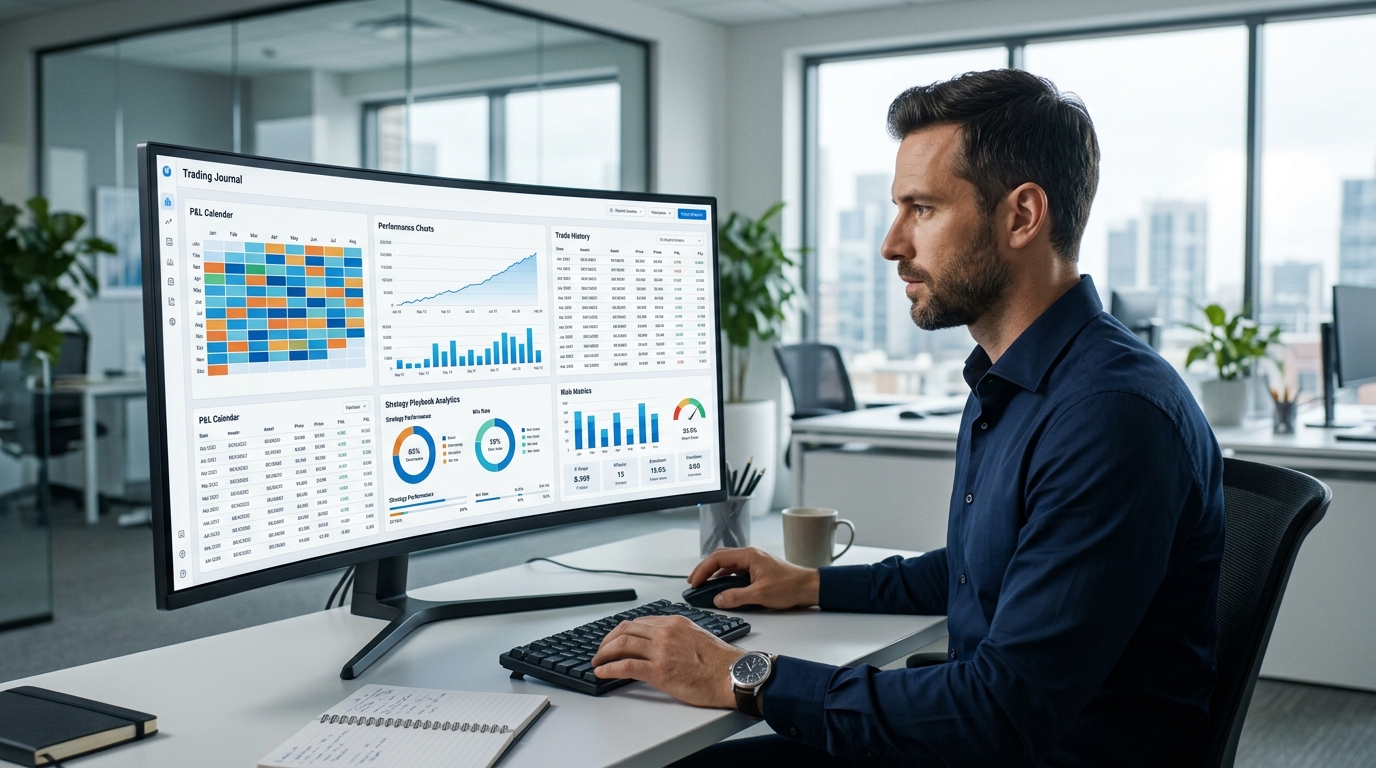
Every trader eventually runs into the same realization: their memory of their own trading is not reliable. The trade you remember as "a good setup that just didn't work out" often looks very different once you actually pull up the chart and your notes. This is the gap a trading journal is built to close.
Professional traders have treated journaling as a core habit for decades, and the software behind it has evolved considerably. What used to mean a spreadsheet with manually typed entries is now a category of dedicated platforms offering broker syncing, AI-generated insights, psychology tracking, and detailed performance analytics.
This guide compares the trading journal apps traders ask about most in 2026 — DailyTraderz, TraderSync, TradeZella, Edgewonk, Tradervue, and the classic Excel spreadsheet — so you can choose the one that actually fits how you trade, rather than the one with the longest feature list.
Why Every Trader Needs a Trading Journal
A trading journal isn't just a record-keeping exercise. Used consistently, it changes how a trader relates to their own decisions. A few concrete benefits stand out:
- Performance clarity. Win rate, average risk-to-reward, and expectancy tell you whether your strategy actually has an edge — something that's nearly impossible to judge accurately from memory alone.
- Psychology awareness. Recording emotional state before and after each trade makes patterns like fear-driven exits or overconfidence after a winning streak visible, often for the first time.
- Discipline. Comparing what you planned to do against what you actually did is one of the fastest ways to catch rule-breaking before it becomes expensive.
- Risk management. Tracking position sizing and drawdown over time shows whether your risk controls are actually holding up under pressure, not just on paper.
- Consistency. A journal turns trading from a series of isolated decisions into a process you can measure, review, and gradually improve.
None of these benefits require an especially sophisticated tool. They require consistent use — which is exactly why the right platform for you is the one you'll actually keep using.
How We Evaluated Each Trading Journal
To keep this comparison useful rather than just a list of marketing claims, each platform was assessed against the same criteria:
- Ease of use — how quickly a new user can start logging trades productively
- User interface — clarity and modernity of the dashboard
- Analytics — depth and usefulness of performance statistics
- Trading psychology — how well emotional and behavioral data is captured
- Reports — quality and flexibility of performance breakdowns
- Automation — broker syncing and auto-import capability
- Manual trade entry — how smooth the experience is when automation isn't available or preferred
- Forex support — how well the platform handles forex-specific workflows
- Crypto support — depth of crypto asset handling
- Stock support — depth of equity and options handling
- Mobile responsiveness — usability on a phone, not just desktop
- Pricing — value relative to the features offered
- AI features — whether AI is used meaningfully or is a surface-level add-on
Top Trading Journal Apps
DailyTraderz
Overview: DailyTraderz is a newer, AI-driven trading journal built specifically around psychology, discipline, and behavioral analysis rather than trying to be a full-featured analytics and backtesting suite. Its dashboard is centered on a P&L calendar, discipline tracking, trading goals, and progress monitoring, with AI used to surface behavioral patterns from journal notes rather than just summarizing statistics.
Pros:
- Strong focus on trading psychology and emotional tracking, treated as core data rather than an optional note field
- AI-generated behavioral insights aimed at recurring patterns (informational, not trading advice)
- Clean, modern dashboard that's approachable for newer traders
- Built-in risk tracking tied to discipline scoring
- P&L calendar view for at-a-glance performance tracking
- Trading goals feature to measure progress over time, not just isolated results
- Forex-friendly manual entry workflow, useful for traders whose brokers don't support clean auto-sync
- Affiliate program and USDT payment option, which some traders in the crypto and forex space specifically look for
Cons:
- Newer to the market than established names like Tradervue or Edgewonk, so it has a shorter track record
- Does not offer a market replay or backtesting engine, unlike TraderSync or TradeZella
- Broker auto-sync coverage is more limited than platforms with a decade of integration development
Best for: Traders whose main obstacle is discipline and consistency rather than a need for deep statistical slicing across dozens of variables. Particularly useful for forex and crypto traders who want psychology-first journaling with a modern interface.
Pricing: Straightforward, accessible pricing focused on core journaling and psychology features, with USDT payment supported.
Supported markets: Forex, crypto, and stocks.
Ease of use: High — the interface is intentionally simple, prioritizing daily habit-building over feature density.
Overall rating: Strong option for psychology-focused, forex- and crypto-friendly journaling; less suited to traders who specifically want replay or backtesting tools.
TraderSync
Overview: TraderSync is one of the more established platforms in the category, built around deep broker integration, AI-assisted insights through its "Cypher" assistant, and a tick-level market replay simulator. It supports stocks, options, futures, forex, and crypto, with the strongest tooling generally found in its stock and options features.
Pros:
- Extensive broker integration, with import support advertised across hundreds of brokers and exchanges
- Tick-level market replay simulator, useful for backtesting and reviewing execution
- AI assistant that generates commentary and insights based on trade data
- Detailed, filterable performance reports across strategy, setup, and time period
Cons:
- Pricing sits at the higher end of the market, particularly for the Elite tier with full AI and fastest replay speed
- No meaningful free tier — only a short trial before billing begins
- Crypto handling is functional but noted by several independent reviews as less developed than its stock and options tooling
- Forex CFD trades often require manual or CSV-based entry, since most forex brokers don't provide the timestamp precision needed for clean auto-sync
- Mobile experience is functional but more limited than desktop
Best for: Active stock, options, and futures traders who want deep analytics and a realistic replay/backtesting environment, and who trade a high enough volume to justify the cost.
Pricing: Tiered plans, roughly $30 to $80 per month depending on features, with a discount for annual billing.
Supported markets: Stocks, options, futures, forex, crypto.
Ease of use: Moderate — the interface is well organized, but the sheer number of features means there's a real learning curve.
Overall rating: A strong, comprehensive platform for high-volume multi-asset traders; less cost-effective for traders who only need core journaling and psychology tracking.
TradeZella
Overview: TradeZella has become one of the most popular trading journals in recent years, known especially for its trade replay feature and its "Playbook" system, which separates strategy quality from execution quality. It added an AI layer called Zella AI in 2026 and supports stocks, options, futures, forex, and crypto.
Pros:
- Best-in-class trade replay, including multi-trade session replay
- Playbook system that structures trades around predefined strategies, making it easier to separate a good strategy from poor execution
- Wide broker auto-sync coverage
- Clean, modern, visually appealing dashboard
- Dedicated tools for prop firm traders managing multiple funded accounts
Cons:
- No free trial and no clearly published refund policy, which raises the stakes of trying it before confirming your broker syncs cleanly
- Broker-sync reliability varies — some integrations require recurring manual re-authentication
- Its AI currently focuses on per-trade commentary rather than detecting behavioral patterns across a trader's full history
- Pricing is on the higher side for traders who don't use the replay or Playbook features heavily
Best for: Traders who learn visually and rely heavily on reviewing trade execution tick by tick, and prop firm traders managing several funded accounts at once.
Pricing: Roughly $29 to $49 per month depending on tier, with annual discounts available.
Supported markets: Stocks, options, futures, forex, crypto.
Ease of use: High — widely praised for its clean, intuitive interface.
Overall rating: A strong choice for active traders focused on execution review, with the caveat that the subscription cost adds up over time and the AI layer is not yet built for deep behavioral pattern detection.
Edgewonk
Overview: Edgewonk takes a distinctly different approach from most competitors: a single flat annual price with no tiers, and a deliberate focus on trading psychology over visual tools like replay. Its signature features include the Tiltmeter emotional tracking system and an Edge Finder AI that delivers weekly automated reports.
Pros:
- One flat annual price with full feature access — no tiers, no upsells
- Dedicated emotional tracking system (Tiltmeter), unusual among competitors
- Deep behavioral analytics, including metrics like the gap between planned and actual exits
- Works across forex, futures, stocks, crypto, CFDs, and options
- 14-day money-back guarantee
Cons:
- No trade replay and no full backtesting engine — Edgewonk's position is that generic replay adds limited value compared to structured review, which is a reasonable but not universally shared view
- No native mobile app; the web interface isn't optimized for smaller screens
- Broker auto-sync is strongest for MetaTrader users; other platforms often rely on manual or file-based import
- Interface is functional but less visually modern than newer competitors
Best for: Traders who consider psychology and discipline their primary improvement area, particularly forex and futures traders comfortable with a desktop-first workflow.
Pricing: A single annual price, generally in the $170–$200 per year range depending on region and current promotions — no monthly billing option.
Supported markets: Forex, futures, stocks, crypto, CFDs, options.
Ease of use: Moderate — the depth of behavioral metrics takes some time to fully use, though day-to-day logging is straightforward.
Overall rating: Excellent value for traders who prioritize psychology-first analytics over visual replay tools, with mobile access being the clearest gap.
Tradervue
Overview: Tradervue is the oldest dedicated trading journal still active, running since 2011. It's built around detailed reporting and a distinctive social-sharing feature that lets traders share trades with a community or mentors. It offers a genuinely functional free tier, though paid tiers are needed for futures, forex, and options.
Pros:
- Legitimately useful free tier, more generous than many competitors' entry-level offerings
- Long track record and platform stability
- Social trade-sharing feature, useful for mentorship or community-based review
- Automatically generated charts with entry and exit points plotted
Cons:
- No AI features of any kind
- No trade replay or backtesting engine
- No crypto support
- Interface has not kept pace with newer, more modern competitors
- No native mobile app
- Paid tiers are less competitively priced compared to newer platforms offering more features at similar cost
Best for: Budget-conscious stock and ETF traders who want a reliable, no-frills journal, or traders who value community trade-sharing and mentorship features.
Pricing: Free tier available; paid tiers (Silver and Gold) run roughly $30 to $50 per month.
Supported markets: Stocks, options, futures, forex (crypto not supported).
Ease of use: Moderate — functional but dated, with a steeper learning curve for users accustomed to modern app design.
Overall rating: A solid, low-cost starting point, particularly on the free tier, but shows its age compared to platforms built more recently around AI and visual review tools.
Excel Spreadsheet
Overview: Before dedicated journal software existed, Excel (or Google Sheets) was the default tool, and many traders still start here. It costs nothing beyond what you likely already have, and it's fully customizable to track exactly what you want.
Pros:
- Free, or already included with tools most people own
- Completely customizable — track any metric you choose
- No dependency on a third-party platform staying in business
- Works for any asset class, since you define the structure yourself
Cons:
- No automation — every trade must be entered manually
- No broker syncing, which makes consistent use harder as trading volume increases
- Formula errors can quietly corrupt your statistics without you noticing
- No built-in psychology tracking structure, charts, or AI analysis
- Requires real spreadsheet skill to build genuinely useful reports and dashboards
Best for: Traders making a small number of trades per week who want complete control and don't mind the manual effort, or beginners who want to understand what a journal should track before paying for software.
Pricing: Free.
Supported markets: Any, depending entirely on how you build it.
Ease of use: Depends heavily on your own spreadsheet skills; low barrier to start, but a ceiling on what it can realistically do.
Overall rating: A reasonable starting point for very low trade volume, but the manual burden and lack of automation tend to make it unsustainable as trading frequency grows.
Comparison Table
| Platform | Forex | Crypto | Stocks | Trading Psychology | AI Analysis | Risk Tracking | Manual Journal | Dashboard | Reports | Pricing | Overall Score |
|---|---|---|---|---|---|---|---|---|---|---|---|
| DailyTraderz | Yes | Yes | Yes | Strong, core focus | Yes, behavioral pattern focus | Yes | Fast, primary workflow | Modern | Core metrics, clear | Affordable, USDT accepted | 4.3/5 |
| TraderSync | Manual/CSV typical | Supported, less developed | Strong | Basic tagging | Yes, statistical insights | Yes | Available, slower | Modern | Extensive | $30–$80/mo | 4.4/5 |
| TradeZella | Yes | Yes | Strong | Tagging-based | Yes, per-trade commentary | Yes | Available | Modern, visual | Extensive (50+ reports) | $29–$49/mo, no free trial | 4.4/5 |
| Edgewonk | Strong | Supported | Strong | Best-in-class (Tiltmeter) | Yes, weekly reports | Yes | Primary workflow | Functional, dated | Deep behavioral analytics | ~$170–$200/year flat | 4.2/5 |
| Tradervue | Yes (paid tiers) | Not supported | Strong | Minimal | None | Limited (Gold tier) | Available | Dated | Detailed, 100+ reports | Free tier; $30–$50/mo paid | 3.5/5 |
| Excel Spreadsheet | Yes (manual) | Yes (manual) | Yes (manual) | None built-in | None | Manual only | Fully manual | DIY | DIY | Free | 2.8/5 |
Scores reflect a general balance of features, ease of use, and value at the time of writing, based on publicly available information and independent reviews. Actual fit depends heavily on your specific trading style, asset class, and what you personally value most in a journal.
Which Trading Journal Is Best For You?
Beginner: Start with something simple and low-commitment. Tradervue's free tier or a basic Excel sheet lets you build the journaling habit before paying for anything. DailyTraderz's simpler interface is also approachable if psychology tracking feels like the more useful starting point.
Professional / high-volume trader: TraderSync or TradeZella tend to offer the deepest statistical breakdowns and automation needed to manage a large number of trades efficiently.
Forex trader: Edgewonk's psychology-first design and multi-currency support make it a strong fit, particularly for MetaTrader users. DailyTraderz is also built with forex-friendly manual entry in mind, which matters since forex CFD trades rarely auto-sync cleanly anywhere.
Crypto trader: DailyTraderz and TradeZella both offer native crypto support without treating it as an afterthought; Tradervue does not support crypto at all.
Day trader: TradeZella's trade replay and TraderSync's tick-level backtesting are particularly valuable for reviewing fast-moving intraday execution.
Swing trader: Edgewonk's behavioral analytics and Tradervue's detailed multi-timeframe charting both suit a lower-frequency, more reflective trading style well.
Prop firm trader: TradeZella's dedicated prop firm account tracking, including auto-sync with several funded account providers, is currently one of the strongest options for managing multiple evaluation accounts at once.
Frequently Asked Questions
What is the best trading journal?
There isn't a single best trading journal for everyone. TraderSync and TradeZella offer the deepest analytics and replay tools for active multi-asset traders. Edgewonk leads on psychology-focused analysis. DailyTraderz is a strong option for traders who want AI-driven behavioral insights with a simpler, forex- and crypto-friendly interface. The right choice depends on your trading style and what you're actually trying to improve.
Is TradeZella worth it?
For traders who rely heavily on visual trade review, TradeZella's trade replay is considered one of the best in the category, and its Playbook system is genuinely useful for separating strategy quality from execution quality. The lack of a free trial and its per-trade (rather than cross-history) AI commentary are worth weighing against the cost.
Is TraderSync good?
Yes, particularly for active stock, options, and futures traders who want extensive broker integration and a detailed replay/backtesting environment. It's one of the more expensive options at its highest tier, so it makes the most sense for traders who will use the full feature set.
Should I use Excel?
Excel works for traders making a small number of trades per week who want full control and don't mind manual entry. As trading frequency increases, the lack of automation and built-in analytics tends to make dedicated software a better long-term investment.
Can AI improve my journal?
AI can help by identifying behavioral patterns across a large number of trades that are difficult to spot manually — things like increasing risk after losses or a tendency to exit winners too early. It's most useful when it analyzes patterns across your full trading history and notes, not just individual trades.
How do professional traders track trades?
Professional and institutional traders log every trade systematically, including reasoning, position sizing, and outcome, and review that data on a fixed schedule rather than relying on memory. This is the same principle behind retail trading journal software, just applied at a larger scale.
What should I record after every trade?
At minimum: entry and exit price, position size, the setup or strategy used, your reasoning for entering and exiting, the outcome, and your emotional state before and after the trade. This combination is what makes a journal useful for identifying behavioral, not just financial, patterns.
What is the best free trading journal?
Tradervue's free tier is one of the more generous free offerings currently available for stock and ETF traders, though it doesn't include futures, forex, or crypto support. Excel remains a fully free, fully customizable option for traders willing to build and maintain it themselves.
Do trading journals actually improve performance?
A journal doesn't improve performance on its own — it's a tool for visibility. The performance improvement comes from consistently reviewing the data and making deliberate changes based on what it reveals, rather than from the software itself.
Which trading journal is best for trading psychology?
Edgewonk's Tiltmeter is widely regarded as one of the most dedicated emotional-tracking tools in the category. DailyTraderz also centers its design around psychology and discipline tracking, with AI used specifically to surface behavioral patterns rather than just performance statistics.
Conclusion
Every platform in this comparison does the same basic job — helping you track and review your trades — but they optimize for different priorities. TraderSync and TradeZella lean into deep analytics, broker integration, and visual replay. Edgewonk leans into psychology and behavioral analysis at a simple, flat price. Tradervue offers a proven, low-cost entry point with strong community features. Excel offers total control at zero cost, for those willing to build it themselves.
DailyTraderz sits alongside these as a newer option focused specifically on psychology, discipline, and AI-driven behavioral insight, with a modern interface and workflows built to be forex- and crypto-friendly from the start. It won't be the right fit for every trader — particularly those who specifically want a backtesting or replay engine — but for traders whose biggest obstacle is consistency rather than statistical depth, it's worth a look.
Want to experience a modern AI-powered trading journal?
Start your free 3-day trial today: https://dailytraderz.com/